
See the heat, not the light.
Thermal imaging creates an image from differences in emitted infrared energy rather than simply amplifying visible light. That makes thermal extremely useful for some forms of observation while giving it a completely different set of strengths, limitations, and specifications than traditional night vision.
Start with how thermal imaging works. The product specifications make much more sense afterward.
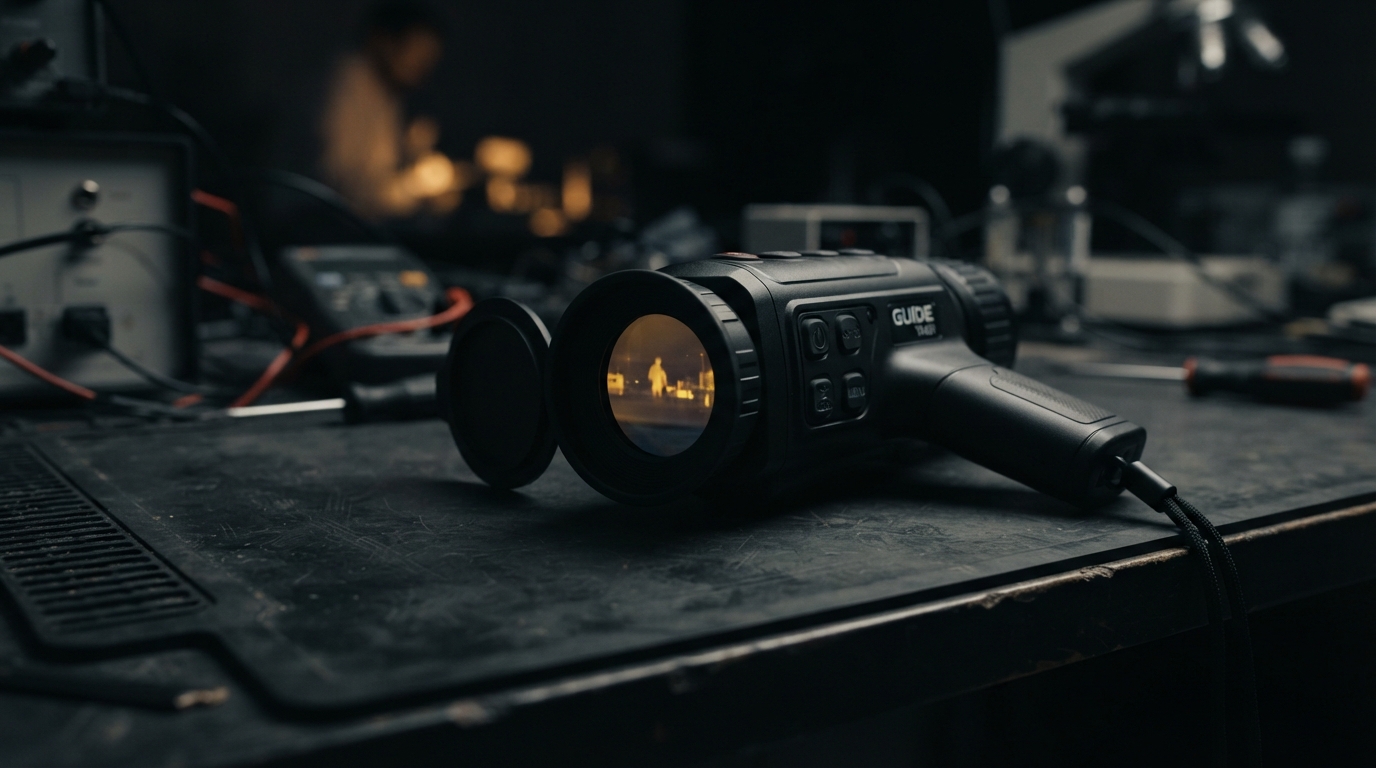
What does a thermal camera actually see?
A thermal imaging device detects infrared energy emitted and reflected by objects and converts differences in that energy into a visible image. What you see on the display represents thermal contrast rather than ordinary visible color.
This is why thermal imaging can reveal warm or cool objects in conditions where visible-light contrast is poor—but it also means the image does not contain the same visual information provided by normal vision or image-intensified night vision.
Thermal shows temperature contrast, not a brighter version of the visible scene.
How thermal imaging forms an image.
- 1INFRARED ENERGY
Objects emit infrared energy based on their temperature and physical properties.
- 2THERMAL LENS
The device's lens focuses relevant infrared energy onto the detector.
- 3SENSOR
The thermal detector measures differences across the scene.
- 4IMAGE PROCESSING
Electronics convert sensor information into a usable visual representation.
- 5DISPLAY
The processed thermal image is shown to the viewer.
Thermal does not replace night vision. Night vision does not replace thermal.
The technologies answer different visual questions. Night vision preserves more of the visible scene by amplifying available light. Thermal emphasizes differences in emitted infrared energy.
| Night Vision | Thermal | |
|---|---|---|
| Image source | Amplified available light | Differences in emitted thermal energy |
| Useful context | Preserves more of the visible scene structure | Highlights temperature differences |
| Primary limitation | Depends on useful incoming light | Less familiar visible detail and environmental thermal effects |
Neither technology is universally better. They provide different information.
Learn thermal technology in the right order.
Thermal imaging becomes easier to understand when the subject is approached in layers. Start with how the sensor forms an image, then learn the specifications, range concepts, and buying considerations.
- 01→
How Thermal Imaging Works
Understand the sensor and imaging process before comparing products.
- 02→
Thermal Specifications Explained
Learn resolution, sensitivity, refresh rate, lens size, field of view, and image processing.
- 03→
Thermal vs. Night Vision
Understand the information each technology provides.
- 04→
Understanding Thermal Detection Range
Learn why detection, recognition, and identification are not interchangeable terms.
- 05→
Buying Your First Thermal Monocular
Translate the specifications into a rational purchasing framework.
- 06→
How NSG Evaluates Thermal Devices
Understand the review methodology before reading product conclusions.
Thermal specifications describe different parts of the image.
A thermal product page may list sensor resolution, sensitivity, refresh rate, lens size, magnification, display resolution, detection range, and software features. These numbers are useful only when you understand which part of the system each one describes.
Sensor Resolution
Thermal sensor resolution describes the number of detector elements available to sample the thermal scene.
Why it matters
More sensor information can support greater scene detail, but resolution alone does not determine the quality of the final image. Optics, sensitivity, processing, display, and environment also matter.
Thermal Sensitivity
Thermal sensitivity describes a system's ability to distinguish small temperature differences within a scene.
Why it matters
It is commonly discussed using NETD or related manufacturer specifications. Lower quoted values may indicate greater sensitivity under the specified test conditions, but the complete device still matters.
Refresh Rate
Refresh rate describes how frequently the thermal image is updated.
Why it matters
A higher refresh rate can make movement appear smoother, but it should be considered alongside sensor quality, processing, display, power consumption, and intended use.
Lens / Focal Length
The thermal lens focuses infrared energy onto the detector and determines field of view and apparent reach.
Why it matters
Larger focal lengths are not automatically better; the useful choice depends on whether wide scene awareness or greater apparent reach matters more.
Field of View
Field of view describes how much of the scene the sensor captures at one time.
Why it matters
A wider field of view shows more of the scene at the cost of apparent detail on any single object; a narrower field of view does the opposite.
Display Resolution
Display resolution describes the detail of the screen that presents the processed thermal image to the viewer.
Why it matters
Display resolution is not sensor resolution. A higher-resolution display can present the sensor's information more clearly, but it cannot add detail the sensor never captured.
Optical Magnification
Optical magnification is determined by the physical lens system and changes apparent size without adding sensor detail.
Why it matters
Optical magnification should be evaluated alongside sensor resolution, field of view, and intended use rather than treated as a standalone ranking.
Digital Magnification
Digital magnification enlarges the information already captured by the detector on the display.
Why it matters
Digital zoom does not create additional native sensor detail. It can make part of the image easier to inspect, but it does not reveal information the sensor did not capture.
Detection Range
Detection range describes how far a thermal contrast can be observed under specified conditions.
Why it matters
Detection range is not the same as recognition or identification range. The figure depends on target size, optics, sensor performance, environment, and the criteria used by the manufacturer.
Battery Runtime
Battery runtime describes how long the device operates on a given power source under defined conditions.
Why it matters
Runtime depends on battery capacity, display brightness, refresh rate, image processing, and temperature. It should be considered alongside the complete ownership experience.
Display resolution is not sensor resolution.
A sharper display can present the sensor's information more clearly, but it cannot add thermal detail the detector never captured.
The lens changes what the sensor can do.
Thermal optics affect field of view, magnification, scene coverage, and practical detection capability. Larger numbers are not automatically better; the useful choice depends on whether wide scene awareness or greater apparent reach matters more.
Focal Length
Determines the relationship between field of view and apparent reach.
Field of View
How much of the scene the sensor captures at one time.
Optical Magnification
Apparent size change produced by the physical lens system.
Minimum Focus Distance
The closest distance at which the lens can form a useful thermal image.
Lens Material
Thermal lenses use materials that transmit infrared energy, not ordinary visible-light glass.
Digital zoom does not create new sensor detail.
Digital magnification enlarges the information already captured by the detector. This can make part of the image easier to inspect on the display, but it does not create additional native sensor resolution.
“Detection range” does not mean “clear identification range.”
Thermal manufacturers often publish long distance figures, but seeing that a thermal contrast exists is different from recognizing a broad object type or confidently identifying fine details.
Enough information to notice that something thermally distinct is present.
Enough information to classify the object more broadly.
Enough information to distinguish meaningful detail with greater confidence.
These distances are affected by target size, optics, sensor performance, environment, display, processing, and the criteria used by the manufacturer.
The sensor is only the beginning.
The final image depends on more than the detector. Display resolution, contrast, sharpening, noise reduction, calibration, color palettes, software, and image-processing decisions all affect what the user sees.
The detector that measures thermal differences across the scene.
Electronics and software that convert sensor data into a usable image.
The screen that presents the processed thermal image to the viewer.
Adjustments for palette, zoom, brightness, and device settings.
Features such as recording, palettes, and image enhancements where supported.
Optional capture of stills or video where the device supports it.
Color palettes change presentation—not the underlying thermal scene.
White-hot and black-hot styles, along with various color palettes, can make certain contrast patterns easier to interpret. The palette does not change what the sensor measured—only how that information is displayed.
Thermal contrast changes with the environment.
Weather, sunlight, rain, humidity, wind, surface materials, background temperature, and time of day can affect thermal contrast. A thermal scene is not static.
Atmospheric conditions can influence apparent contrast and useful range.
Objects heated during the day may retain different amounts of thermal energy after sunset.
Thermal imaging does not behave through every material the way visible-light cameras do.
When objects and their surroundings approach similar temperatures, contrast may decrease.
Start with how you intend to observe.
This hub focuses on consumer observation devices. Choose a format based on how you actually plan to use thermal, not on the largest specification on the page.
Compact devices intended for handheld thermal observation.
Two-eye viewing interfaces or dual-display form factors depending on device design.
Thermal systems designed around stationary observation or monitoring applications.
Products combining recording, range estimation, connectivity, or other functions.
Buy the sensor you need—not the biggest specification list.
Before comparing brands or sorting by the largest number on the page, define the job, the range you actually need, and the tradeoffs you will accept.
- 01
Define the job
Wildlife observation, property inspection, outdoor recreation, preparedness, and other legitimate uses can prioritize different characteristics.
- 02
Decide on range needs
Do not confuse long detection claims with the level of detail you expect to see.
- 03
Choose sensor resolution
Balance desired detail against cost, optics, size, and the complete system.
- 04
Consider the lens
Field of view and apparent reach are heavily influenced by optical design.
- 05
Check sensitivity & processing
Sensor sensitivity and image processing can influence useful contrast.
- 06
Evaluate the device
Consider controls, display, battery, ergonomics, software, durability, warranty, and support.
- 07
Compare real alternatives
Compare devices serving the same actual purpose rather than simply sorting every thermal product by price.
A thermal review should show what the specifications actually change.
NSG reviews should connect product specifications with image observations, controls, optics, display quality, battery behavior, ergonomics, environmental conditions, and realistic alternatives.
Thermal testing is being added as equipment becomes available.
Until then, the Thermal library focuses on the technology, evaluation criteria, and buying frameworks that future NSG reviews will use.
Represent a manufacturer or brand? NSG accepts appropriate thermal equipment and loaner products for independent evaluation. Supplying equipment does not guarantee favorable coverage.
Compare the decision, not just the products.
- →
Thermal vs. Night Vision
Compare two technologies that reveal fundamentally different information after dark.
- →
Higher vs. Lower Sensor Resolution
Explore what actually changes as thermal sensor resolution increases.
- →
Wide Field of View vs. Longer Focal Length
Compare scene coverage against apparent reach for different observation needs.
- →
Handheld Thermal Buying Guide
A framework for choosing a thermal monocular based on the job, not the spec list.
- →
Thermal Sensitivity Explained
Understand what NETD and related sensitivity figures actually describe.
Measure the device. Observe the image. Explain the conditions.
When NSG physically evaluates thermal equipment, the goal is to combine documented specifications with repeatable observations, disclosed conditions, and transparent limitations. Testing should help readers understand what changed—not simply create a score.
Documentation
Record known specifications, model details, configuration, source information, and manufacturer-provided documentation.
Physical inspection
Evaluate controls, construction, adjustments, interfaces, battery compartment, lens, and overall device condition.
Controls
Document how the device operates, adjusts, navigates menus, and handles normal interaction.
Startup / calibration
Observe startup behavior, calibration time, and any initial image stabilization.
Image observations
Observe image characteristics under disclosed environmental conditions rather than judging from a single photograph.
Environmental conditions
Document weather, background temperature, time of day, and other conditions that affect thermal contrast.
Battery / runtime
Document battery format, controls, and runtime observations where relevant and practical.
Display
Evaluate display clarity, contrast, palette options, and outdoor visibility.
Recording / software
Where supported, document recording quality, software features, and connectivity behavior.
Comparison
Compare equipment against realistic alternatives where equivalent equipment is available.
Disclosure
State whether equipment was purchased, supplied, loaned, discounted, or otherwise provided for review.
A free product does not buy a positive review.
Thermal terms without the alphabet soup.
- DETECTOR
- The thermal sensor that measures infrared energy across the scene.
- SENSOR RESOLUTION
- The number of detector elements available to sample the thermal scene.
- NETD
- A specification related to how small a temperature difference a thermal system can distinguish under defined conditions.
- THERMAL SENSITIVITY
- A system's ability to distinguish small temperature differences within a scene.
- REFRESH RATE
- How frequently the thermal image is updated.
- FOCAL LENGTH
- The lens property that relates field of view to apparent reach.
- FIELD OF VIEW
- How much of the scene the sensor captures at one time.
- OPTICAL MAGNIFICATION
- Apparent size change produced by the physical lens system.
- DIGITAL ZOOM
- Enlargement of existing sensor information on the display, which does not add native detail.
- DETECTION
- Enough information to notice that something thermally distinct is present.
- RECOGNITION
- Enough information to classify the object more broadly.
- IDENTIFICATION
- Enough information to distinguish meaningful detail with greater confidence.
- CALIBRATION
- The process by which a thermal sensor establishes a reference for accurate measurement.
- THERMAL PALETTE
- The color mapping used to present thermal contrast on the display.
Thermal imaging questions people actually ask.
- Can thermal imaging see in complete darkness?
- Thermal imaging does not depend on visible ambient light in the same way image-intensified night vision does. It forms an image from thermal contrast.
- Is a higher thermal resolution always better?
- Higher sensor resolution can provide more image information, but optics, sensitivity, image processing, display, environment, and device quality still matter.
- What does NETD mean?
- NETD is a specification related to how small a temperature difference a thermal imaging system can distinguish under defined conditions. It should be considered alongside the rest of the system.
- Can thermal imaging see through walls?
- No. Consumer thermal cameras generally measure thermal radiation from surfaces within their line of sight rather than providing ordinary vision through solid walls.
- Is thermal better than night vision?
- Not universally. The technologies reveal different information and solve different observation problems.
- Does digital zoom improve thermal resolution?
- Digital zoom enlarges existing sensor information; it does not create additional native detector detail.
Related low-light topics.
Understand how image-intensified systems amplify available light.
Explore→IlluminationLearn how visible and infrared illumination interact with low-light equipment.
Explore→Low-Light OpticsExplore the lenses, field of view, and optical systems behind imaging technology.
Explore→Power & BatteriesUnderstand runtime, battery formats, external power, and storage.
Explore→Low LightReturn to the master Low Light library.
Explore→ReviewsBrowse NSG equipment reviews and evaluation methodology.
Explore→See the technology more clearly.
Get thermal explainers, testing notes, reviews, comparisons, and new Low Light resources through NSG Field Notes.